
What is Walmart Fulfillment Services?
Walmart Fulfillment Services (WFS) stores inventory for eligible Walmart Marketplace sellers, then picks, packs, and ships customer orders. It also handles eligible order-related returns and customer support.


Before inventory arrives, each sellable unit needs an accepted, readable product barcode on its outermost packaging. A code printed only on the shipping carton does not identify the individual units inside.
Walmart WFS vs. Amazon FBA
Both services fulfill marketplace orders, but their unit identifiers differ. An Amazon FNSKU identifies an offer in Amazon’s fulfillment network; WFS uses the product’s accepted GTIN or UPC.
| Product-label question | Walmart WFS | Amazon FBA |
|---|---|---|
| Primary unit barcode | 14-digit GTIN or 12-digit UPC. | Assigned FNSKU when Amazon barcodes are required; eligible manufacturer barcodes otherwise. |
| Amazon FNSKU accepted? | No. | Yes, for inventory using Amazon barcodes. |
| Seller SKU as the unit barcode? | No. | Not a substitute for an assigned FNSKU. |
| Where to print | Seller Center: Print GTIN label. | Seller Central: item-label printing. |
Verify the requirements separately when selling on both platforms. Read the Amazon FNSKU label guide for the Amazon workflow.
Does WFS have an FNSKU equivalent?
No. WFS does not use an Amazon-style FNSKU unit identifier. Walmart accepts 14-digit GTINs and 12-digit UPCs; its WFS labeling instructions reject EAN, vendor SKU, and FNSKU identifiers.
| Identifier | Length | Accepted by WFS? |
|---|---|---|
| GTIN | 14 | Yes. |
| UPC-A | 12 | Yes. |
| EAN-13 | 13 | No. |
| Amazon FNSKU | — | No. |
| Seller SKU | — | No. |
GTIN-14 and UPC are related, but check the full value
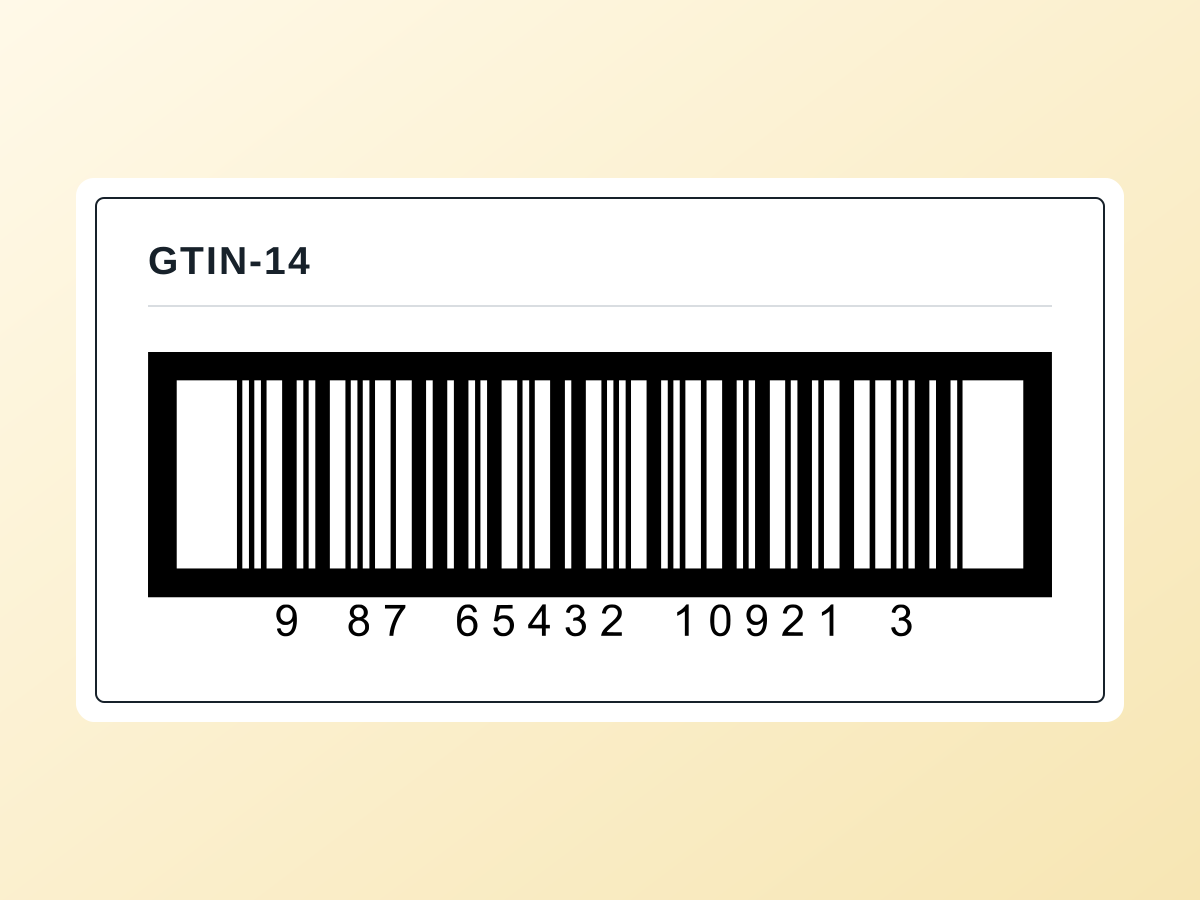
GTIN means Global Trade Item Number. UPC-A encodes a 12-digit GTIN. Shorter GTINs can be stored in a 14-digit field with leading zeros; a UPC uses two. This representation does not assign a new product number or choose the correct printed barcode format.
Use the legitimate identifier for the exact item and packaging level, including its check digit. Preserve leading zeros and never invent digits. See GS1’s explanation of 14-digit representation.
Barcode and placement requirements
- Put the accepted barcode on the outermost packaging of every sellable unit, where it remains visible after removal from the shipping carton.
- Give each distinct sellable variant its own identifier. Match the code to the exact color, size, configuration, and Walmart listing.
- Cover obsolete or conflicting barcodes, including old Amazon FNSKU stickers. Keep the intended valid barcode visible and scannable.
- A correct, visible, scannable UPC already on the unit can serve as its barcode; a replacement sticker is not always necessary.
Walmart also requires clear, permanent country-of-origin marking. Placement depends on the item: shoes need marking on both shoes, while some products may use the outer packaging. Category-specific warnings and markings still apply.
Check Walmart’s item-label and placement instructions and the WFS routing and packaging guidance for your shipment.
Label size, design, and printing
Seller Center lets you choose a label size when downloading GTIN labels. Walmart’s public printing instructions do not name one universal physical size. Choose stock that fits the complete barcode at its required dimensions and preserves its quiet zones.
| Example label stock | Practical use |
|---|---|
| 2.25 × 1.25 in | Compact thermal product labels. |
| 2 × 1 in | Small items, only when the barcode and quiet zones fit. |
| 3 × 2 in | More room for a title, variant, and barcode. |
| 4 × 2 in | Larger packages or additional product details. |
Stock examples are not Walmart size mandates
A small label is unsuitable if it compresses the bars or clips the required white space. Match the barcode format and dimensions to Walmart’s item-label reference.
- Use the verified identifier with clear human-readable digits and a suitable barcode format.
- Keep white space around the barcode; never stretch or crop the bars.
- Print with strong contrast on nonreflective stock at Actual Size or 100%, with Fit to Page disabled.
- Keep optional titles and variant details clear of the barcode.
- Scan a physical test label and compare its decoded digits with the Seller Center record before printing the full batch.
A successful scan checks readability. It does not establish that the identifier belongs to the product.
Find and print labels in Seller Center
- Log in to Walmart Seller Center and open Inventory.
- Select the exact item or variation that needs labels.
- Choose Print GTIN label.
- Select the label size and quantity, then download.
- Test-print, scan, and apply the labels to the matching sellable units.
This workflow comes from Walmart’s label-printing instructions. Unit labels do not replace the separate WFS receiving and carrier labels on shipping cartons.
Prepare a label with Ship Toolkit
Open the Walmart GTIN label tool, enter your verified 14-digit value, model, title, and origin, then choose your stock size. Review the preview and test the downloaded PDF at 100%.
The tool accepts 14-digit values; use Seller Center for a 12-digit UPC label. A label generator formats an existing identifier. It does not assign GS1 numbers, register products, or verify ownership or Walmart acceptance.
Frequently asked questions
Must every WFS item use a 14-digit GTIN?
No. WFS also accepts a correctly assigned, readable 12-digit UPC.
Can identical units share one barcode?
Yes. Identical units of the same trade item normally share its identifier. Distinct sellable variants need their own identifiers.
Can I use an EAN-13, FNSKU, or seller SKU?
No. These are not accepted WFS unit identifiers. Use the item’s accepted GTIN or UPC.
Do I need a new sticker over an existing UPC?
Not always. The correct UPC can remain if it is visible, scannable, and matches the exact WFS item.
Is there one mandatory label size?
Walmart’s public printing instructions do not specify one universal size. The printed barcode must retain its required dimensions and remain scannable.
Can Walmart label the units for me?
Walmart offers item labeling through WFS Prep Services. Request the service in Seller Center and check current availability, requirements, and fees.
Can I make up a GTIN-14?
No. Obtain a legitimate identifier from an authorized source such as GS1 and confirm it belongs to the exact product. Printing a barcode does not authorize its number.
This independent Ship Toolkit guide covers US WFS product labels. Walmart and Amazon may change their policies; confirm current requirements before shipping.
Before you ship
- Confirm the exact item, variant, packaging level, and assigned identifier in Seller Center.
- Check every sellable unit for a visible GTIN or UPC and the required country-of-origin marking.
- Cover conflicting old barcodes and verify that the intended code scans correctly.
- Match stock and PDF dimensions, print at 100%, and scan a physical sample.
- Complete the separate receiving and carrier labels for shipping cartons.
Have your 14-digit GTIN ready?
Enter your product details, choose a label size, and download a printable PDF in your browser.
Create a Walmart GTIN Label